AI-Powered Portfolio Analysis & Trading Tools
Your Portfolio. Your AI. Connected.
Connect AI platforms that support Model Context Protocol (MCP), including ChatGPT, Claude, Grok, and Perplexity to your IBKR account.
Analyze portfolios, research investments, monitor risk, and generate trade instructions using AI.
Securely Connect Your Favorite AI to Your IBKR Account
Link your IBKR account through a platform's certified connector marketplace in minutes or directly from any AI tool that supports MCP. Built on Model Context Protocol (MCP), IBKR securely connects supported AI platforms to your account without sharing API keys or passwords.
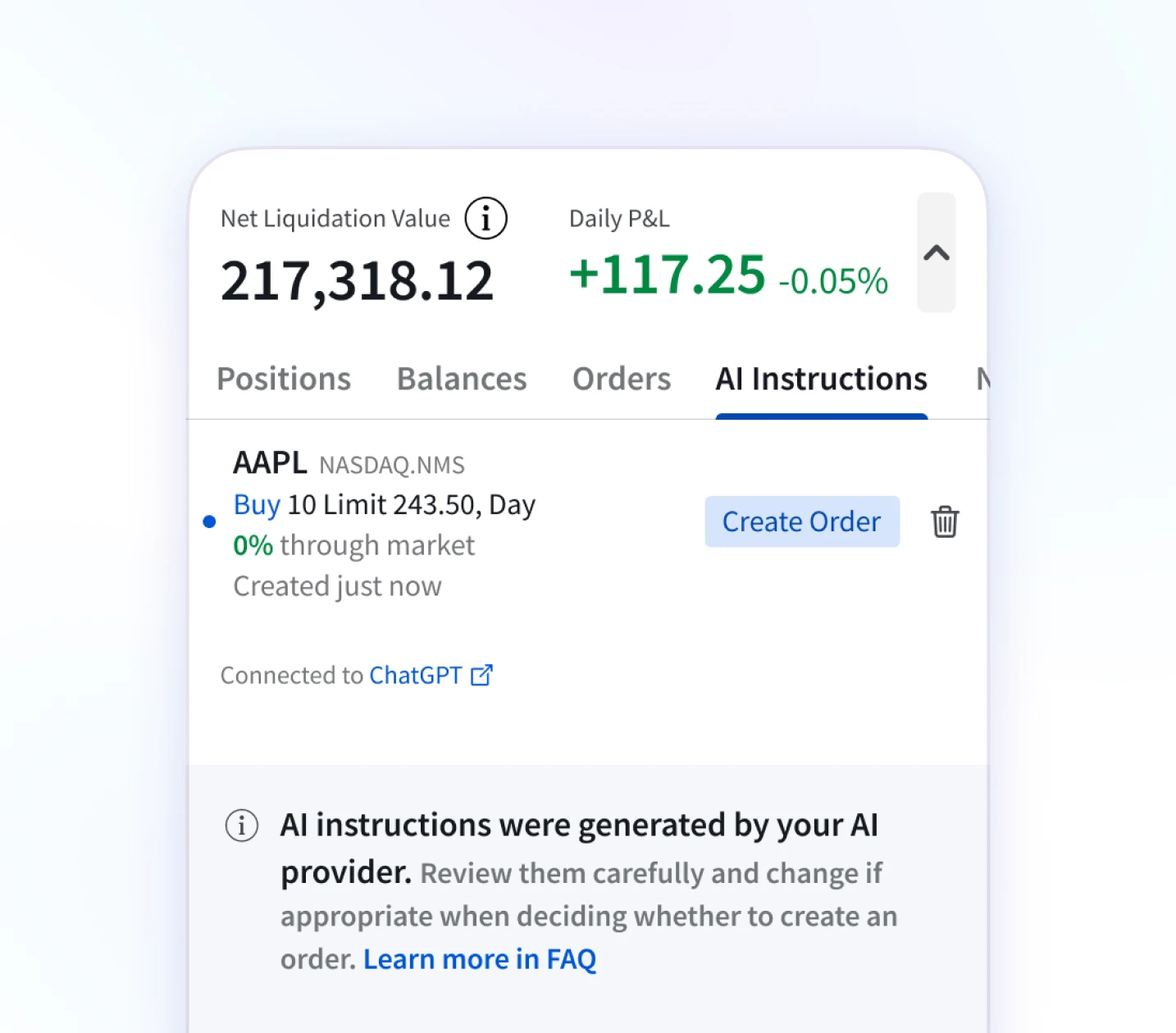
Ask ChatGPT, Claude, Grok, Perplexity, or your preferred AI platform to analyze your portfolio and generate trade instructions. When you are ready to trade, open the AI Instructions tab in any IBKR platform to review and submit your order.
No additional costs. No technical configuration.
No separate AI broker account.
Using a Different AI App?
Any AI application that supports MCP, including Claude Code, ChatGPT Codex, Cursor, and more, can connect.
In your AI application, look for Add MCP Server or Custom Connector, then enter: https://api.ibkr.com/v1/api/mcp-public
Move From Generic Answers
to Portfolio-Aware Intelligence
Your AI has access to authorized account information, including:
Use AI to:
- Analyze exposures across portfolios and asset classes
- Identify concentration, currency or factor risks
- Compare allocations before making changes
- Research global opportunities using natural language
Example AI Investing Questions
Whether you use ChatGPT, Claude, Grok, Perplexity, or another AI tool that supports MCP, your AI can answer questions like these about your portfolio.
-
Research & Discovery"Find European semiconductor companies with positive free cash flow growth and lower valuation multiples than U.S. peers."
-
Portfolio Analysis"Summarize all my trades from the last month with total commissions paid, win rate, and average size."
-
Portfolio Analysis"Look up the implied volatility and 52-week high/low for each of my holdings. Which are most volatile right now?"
-
Trade Planning"Show me the possible Options strategies that can help protect the gains on my five largest stock positions and generate the order instructions for each."
-
Global Investing"Show me the currency impact if the USD weakens 10% against my largest foreign exposures."
-
Execution"Create sell instructions to reduce by 50% any holding with 30-day historical volatility above 60%."
-
Trade Planning"What's my net liquidation value and how much buying power do I have left?"
-
Research & Discovery"What sectors overlap with robotics and automation?"
-
Execution"Draft a limit order to buy 50 shares of AAPL at 2% below current price."
You Stay in Control
The AI analyzes your portfolio and drafts trade instructions. You review and submit every order across global markets, multiple asset classes and currencies.
You control:
- What the AI can access in your IBKR account
- Which trade instructions become orders
- When orders are submitted
Instructions never become orders automatically.
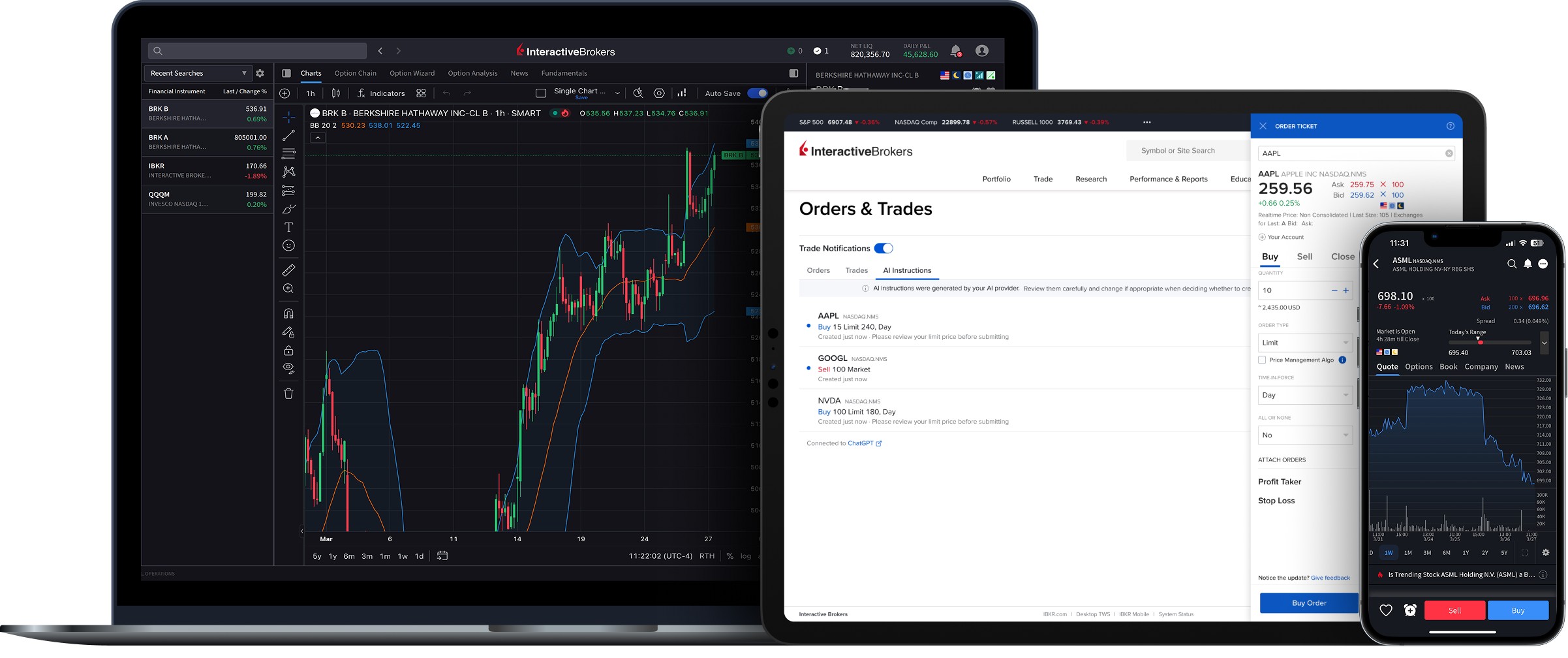
Available on Mobile, Web, and Desktop
AI Integration is available across IBKR trading platforms.
Supported integrations include:
Plus any AI tool that supports Model Context Protocol (MCP)
Gemini is coming soon.
Connect Your Preferred AI to Your IBKR account
Analyze portfolios, research opportunities, and generate trade instructions
while maintaining control over every investment decision and order.
Share Your Feedback
Help shape the future of AI-assisted investing
USER GUIDES
Get Started with AI Integration
For information on how to connect your AI to your IBKR account, select your trading platform.
Frequently Asked Questions
Using a different AI app? Any AI application that supports MCP, including Claude Code, ChatGPT Codex, Cursor, and more, can connect. In your AI application, look for Add MCP Server or Custom Connector, then enter: https://api.ibkr.com/v1/api/mcp-public
Disclosures
AI Integration is not available in IN or JP.
IBKR Autonomous Trading is not available in all regions. Availability is subject to applicable account, regulatory and product requirements.
Please keep in mind that there are material risks to autonomous AI trading, described in Autonomous Trading Risk Disclosure, especially agents placing orders you did not intend or that are erroneous or out of line with your trading wishes. Although these risks can never be eliminated, IB's integration is designed to limit the types of products your AI provider can trade, slow the speed of the orders it submits and give you the ability to control how much of your account you let the AI trade. If you link an AI provider, including browser-based and similar agents, you are providing those AI agents with full control of your account, without any controls or limits.
Eligible clients may authorize a third-party AI platform to connect to their IBKR account. IBKR is not affiliated with, does not control or endorse, and does not review the output of any AI platform, and does not provide investment advice through them. AI can make errors and may submit unintended orders. You are responsible for all orders submitted by your account. Trading involves risk of loss, and for some products losses may exceed your investment. See Terms.
Interactive Brokers does not guarantee the accuracy or completeness of the data and information provided through the AI service that you choose independently.
Information provided using AI integration is not investment advice or a recommendation from Interactive Brokers.
Interactive Brokers is not responsible for any investment decision you take in reliance on information generated through the AI integration. You should independently verify information before more making any trading or investment decisions. The Instructions are created based on information provided by your AI service and may not be accurate or reflect what you wish to do. You are responsible for carefully reviewing the Instructions, editing them as appropriate, and deciding if you wish to convert your Instruction to an order on the IBKR platform.
All trademarks, logos, and brand names are the property of their respective owners and are used for identification purposes only and does not imply endorsement.