Interactive Brokers | NEWs @ IBKR Vol. 25
News @ IBKR
2024 - Volume 25
IBKR Desktop
Power Meets Simplicity with IBKR Desktop
Built from scratch using a fresh UI framework, IBKR Desktop combines proven and modern technologies into a superior trading platform regardless of your trading experience.
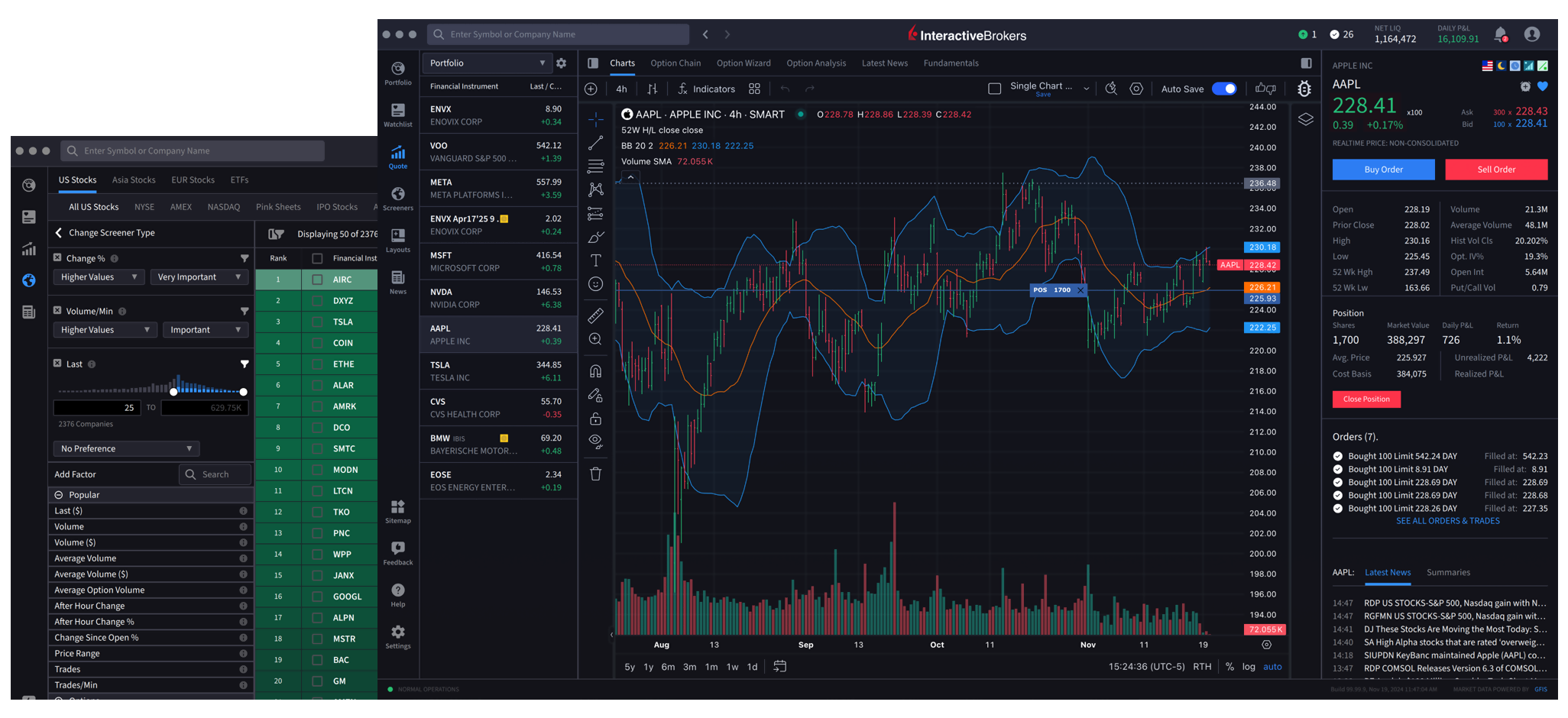
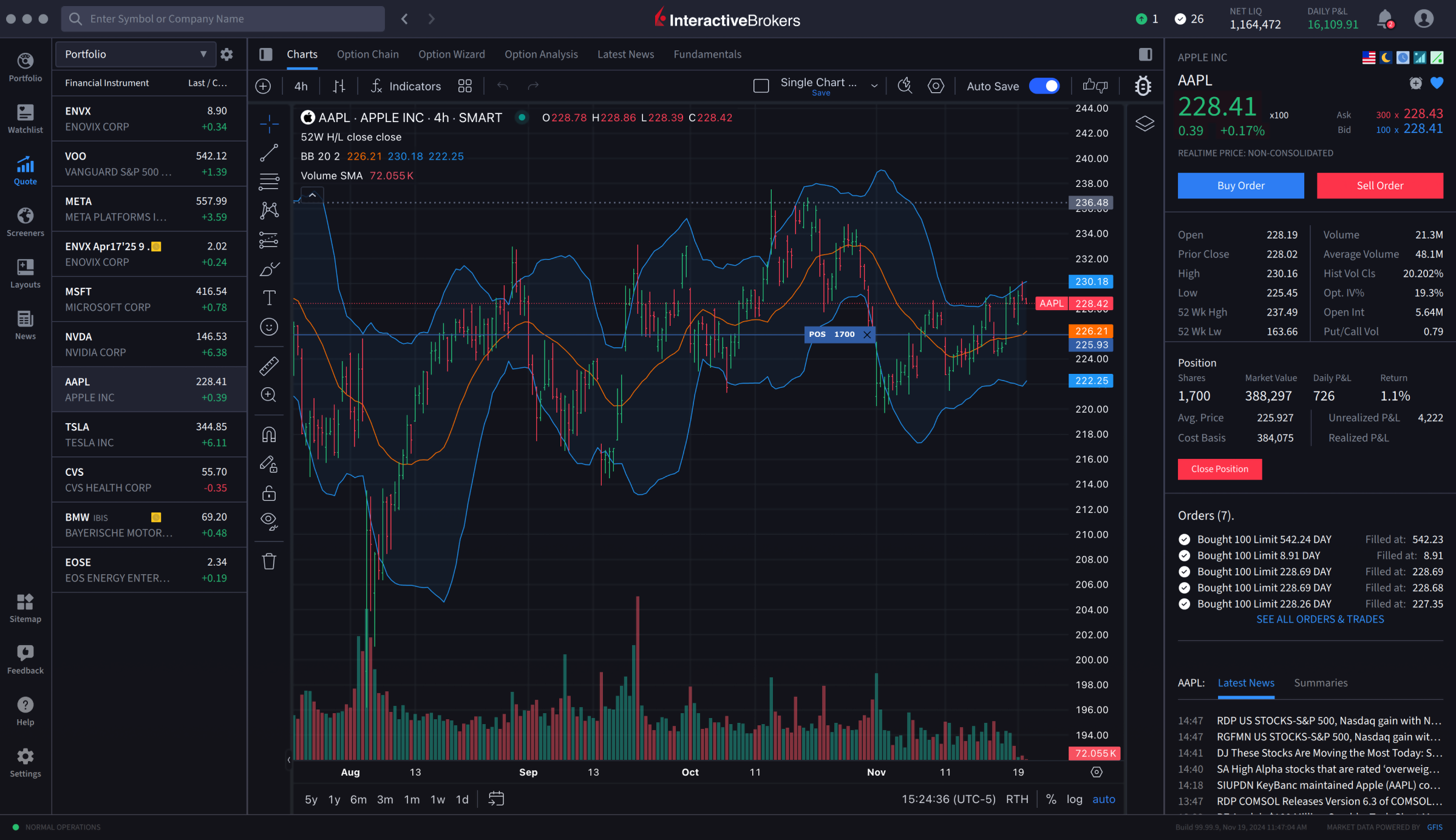
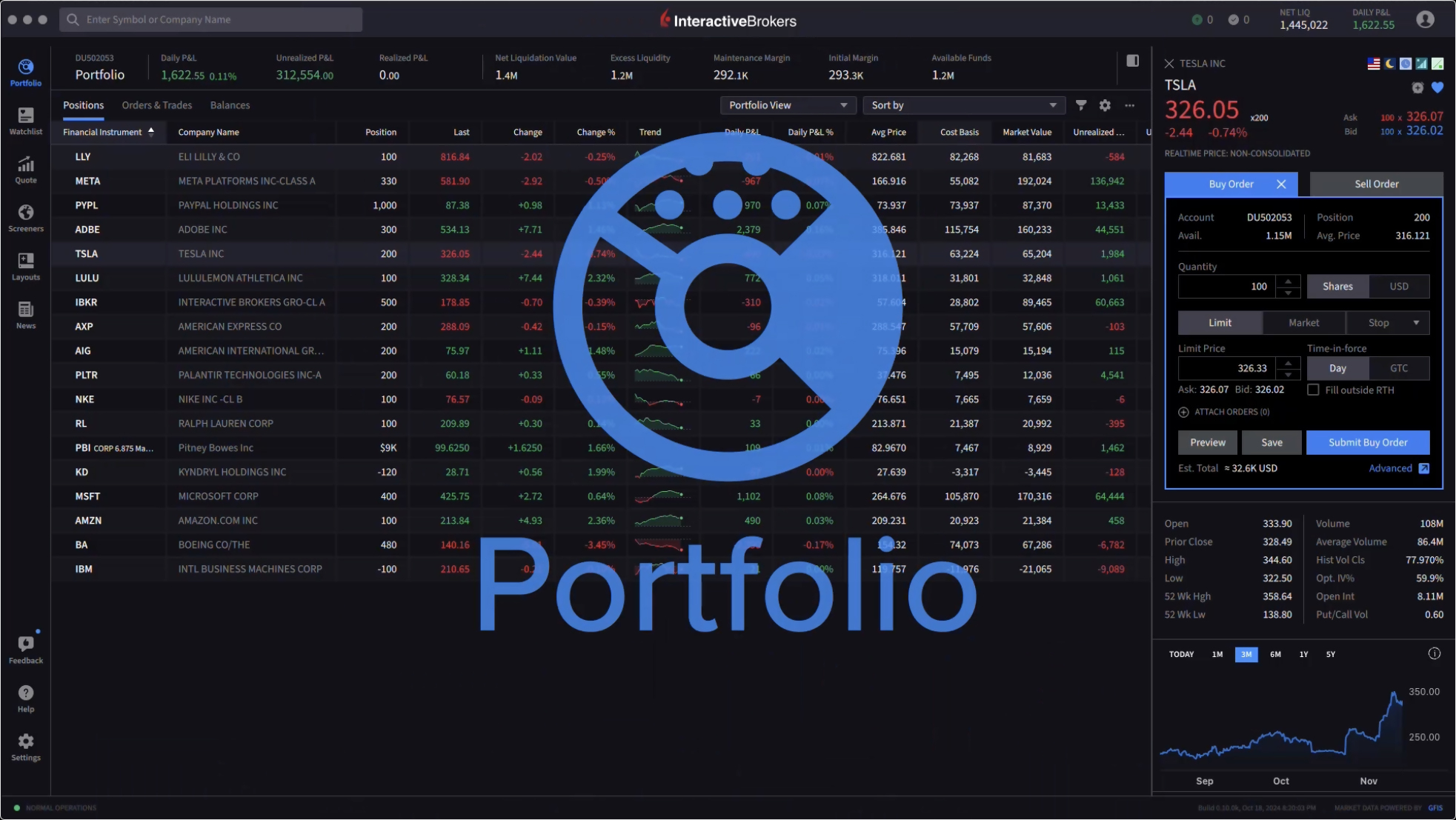
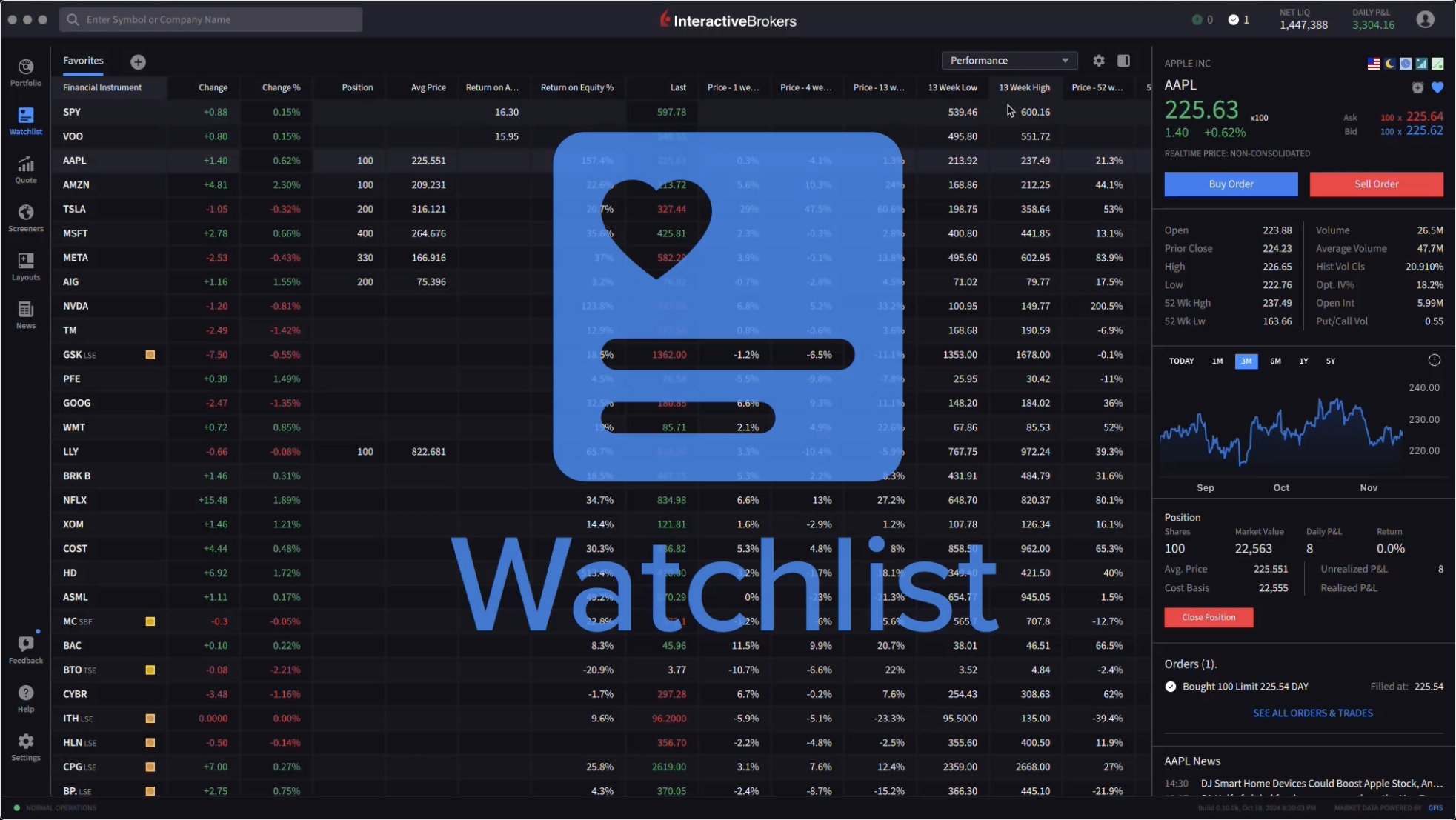
IBKR Desktop is a powerful, streamlined, user-friendly trading platform that helps traders achieve precision and control over their trading strategies. The platform offers a highly customizable trading experience with a broad array of tools for technical and fundamental analysis, sophisticated charting capabilities and advanced order types, including conditional and algorithmic orders.
A comprehensive selection of trading tools and data helps traders perform in-depth analysis and make better-informed trading decisions.
Access stocks, options, futures, currencies, bonds, funds and more across over 150 markets from a single screen to create diversification opportunities.
Personalize your trading experience with a highly customizable workspace that aligns with your trading preferences and maximizes efficiency.
Advanced and conditional order types give traders control over how and when trades are executed, allowing you to quickly implement straightforward or complex market strategies or react to market movements.
Built-in risk management tools help traders proactively monitor and manage their risk profile.
Robust reporting and analytics help traders quickly understand trading outcomes and portfolio performance and calibrate their trading strategies.
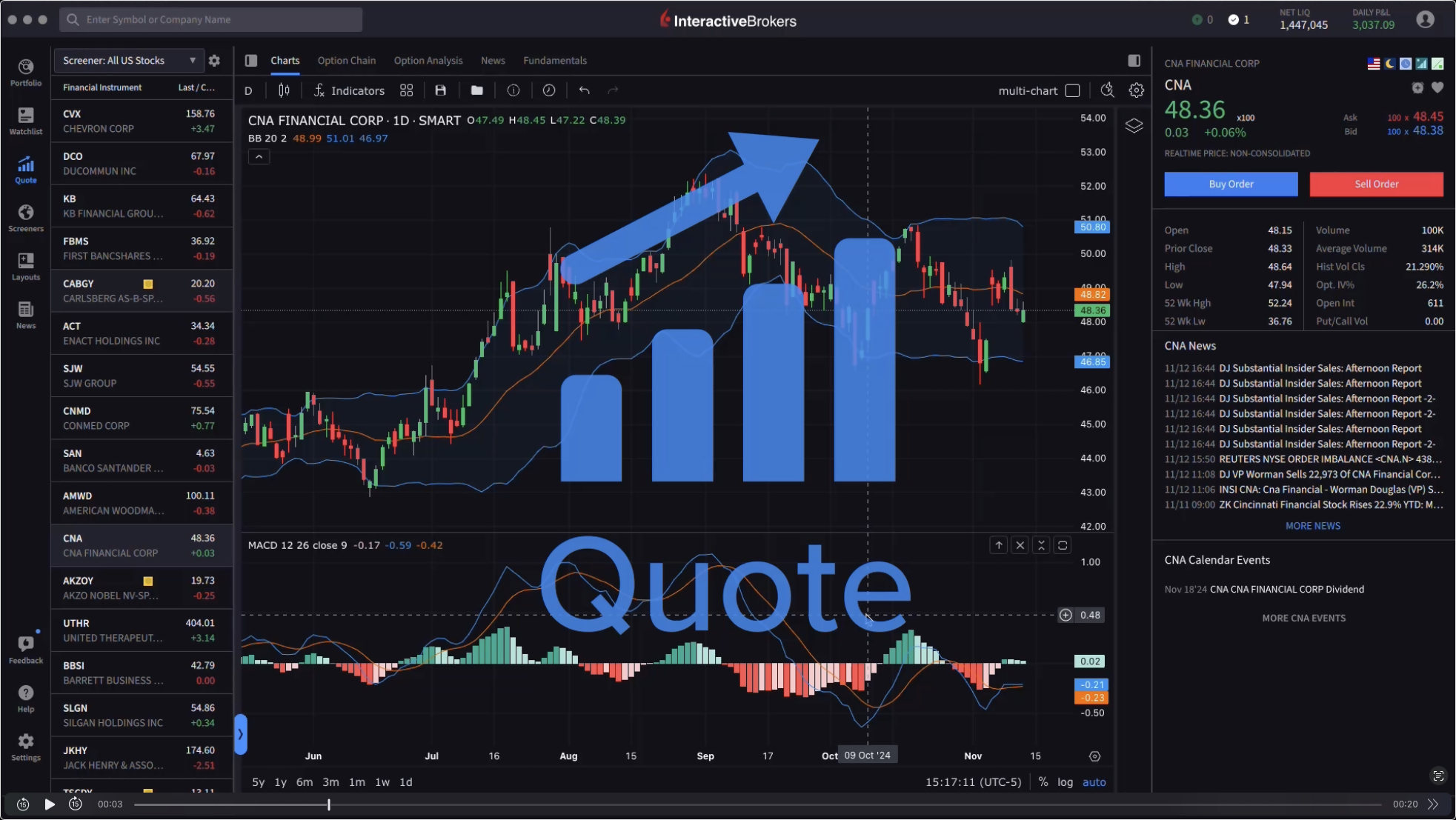
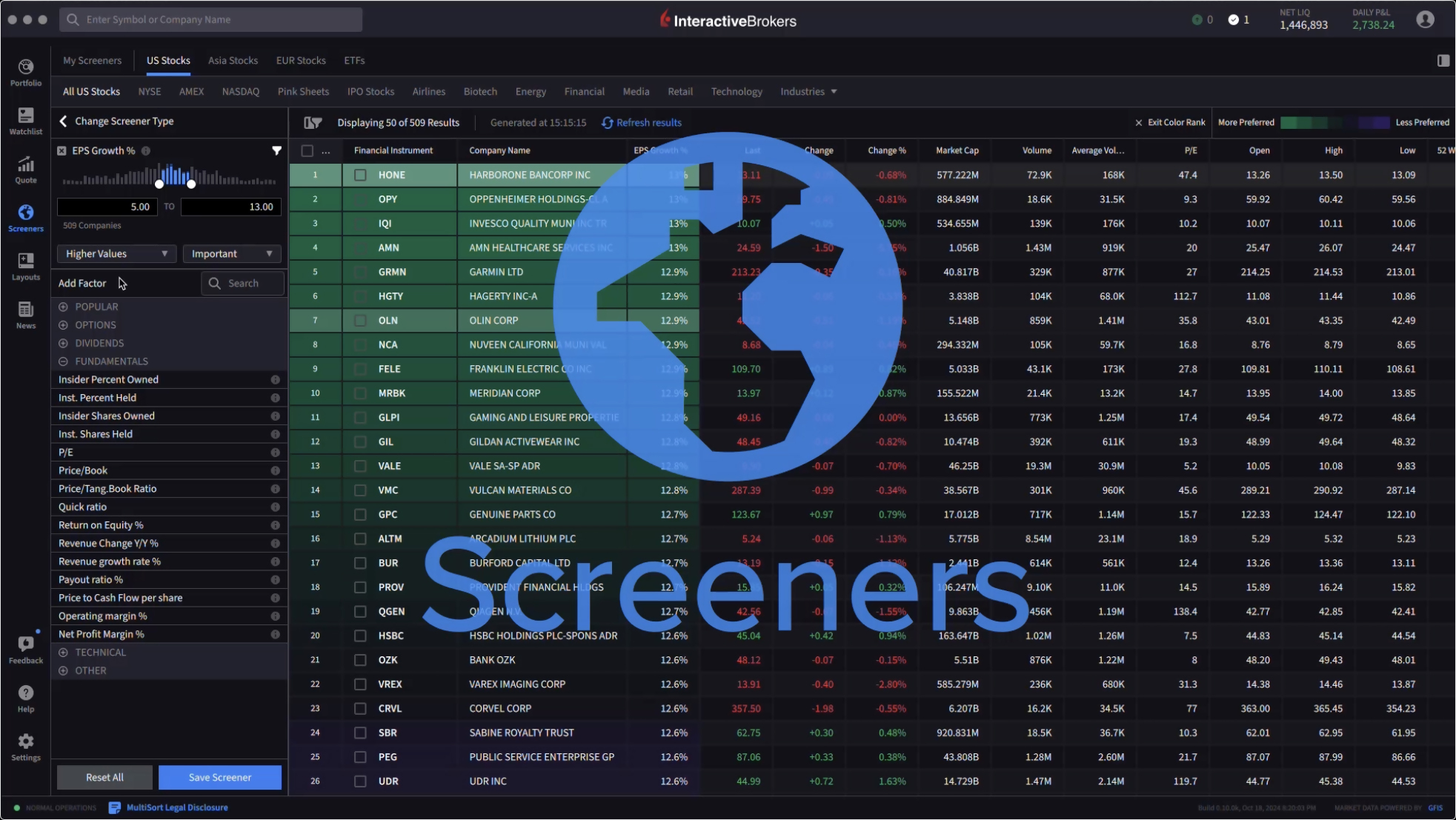
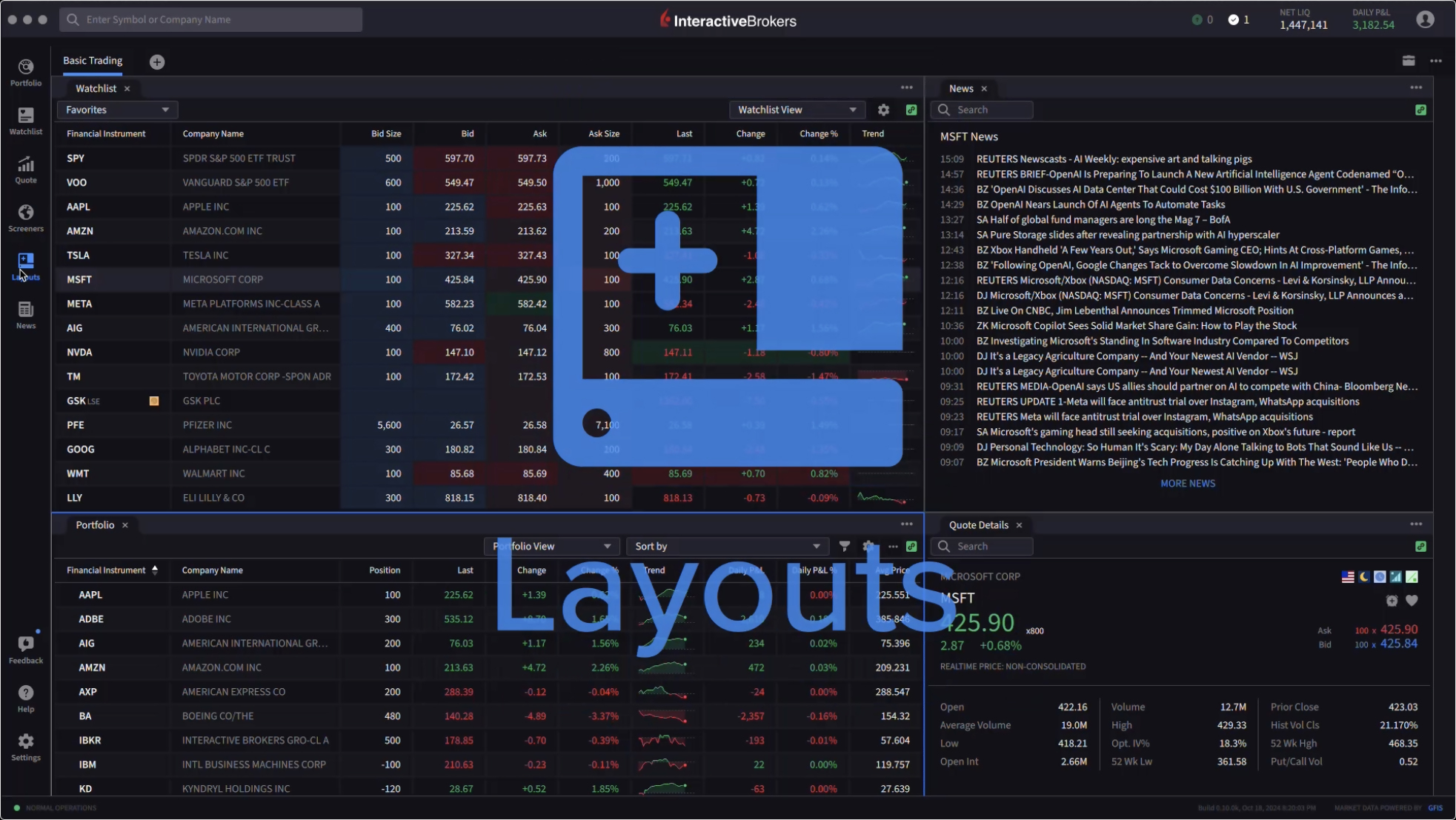
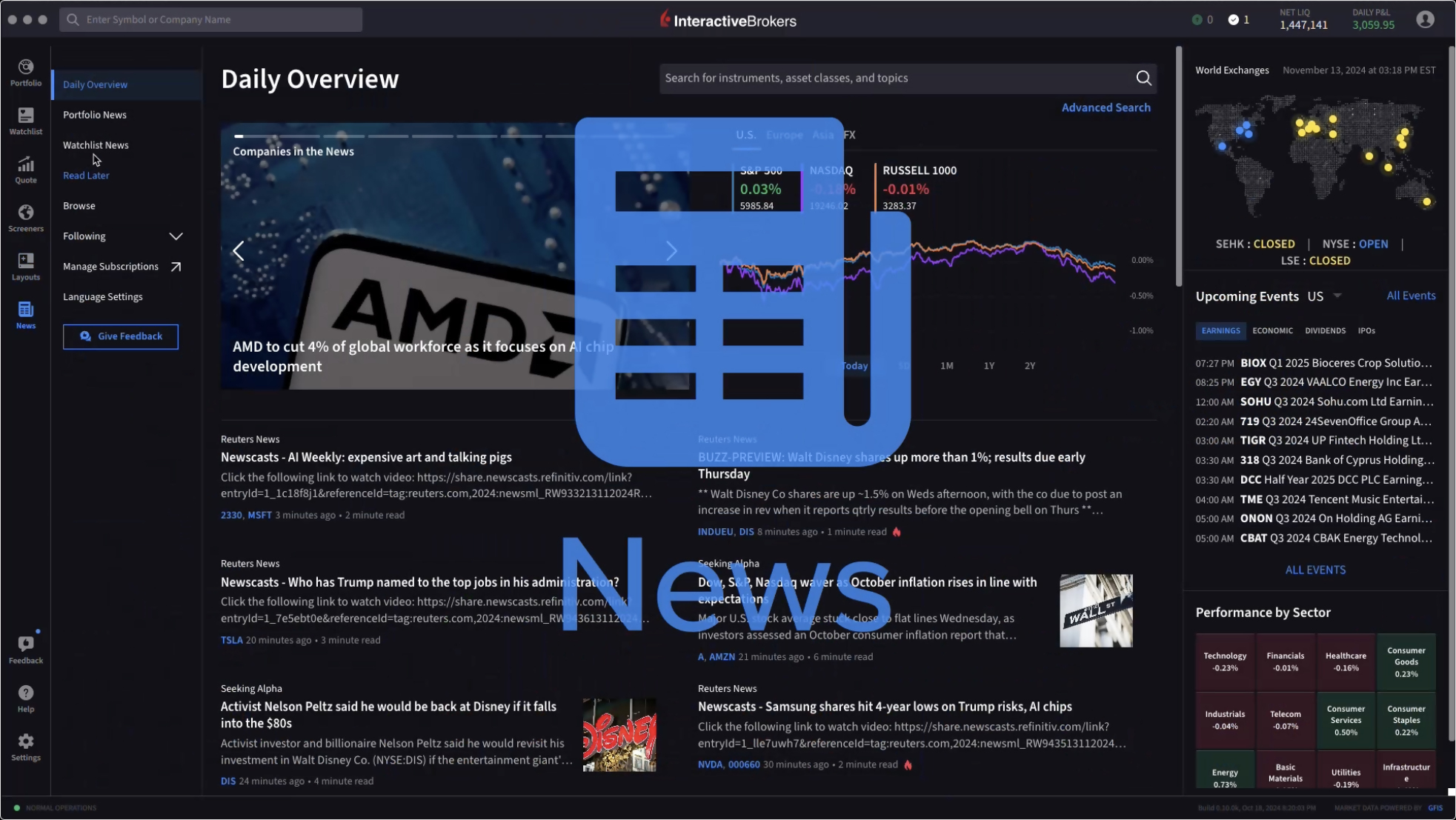
In recent weeks, we have introduced several new features for IBKR Desktop, including:
Volume Candles
An innovative way to visualize market activity by displaying price movements relative to traded volume.
Hot News
The Hot News feed now includes articles that AI has tagged as important using categories such as "Management Changes" and "Earnings Report", among others.
Symbol Comparison
A Symbol Comparison feature allows you to add multiple assets to the same chart to analyze relative performance, correlation and trend patterns.
New Chart Indicators
Include Pivot Points Standard, Volume Profile Fixed Range, Volume Profile Visible Range, 52 Week High/Low, Accelerator Oscillator, Correlation Coefficient, Guppy Multiple Moving Average, Ratio, Spread and True Strength Index.
AI News Summaries
Use generative AI to quickly summarize the key points of news published by select providers, saving you time and allowing you to quickly react to changing market conditions.
Option Chains
You can now add an Option Chain to a Custom Layout. An Option Chain lists all options available for a specific security. Option Chains typically list all put and call option strike prices for a given maturity date. You may also view any current positions or combos directly on the Option Chain. Hovering your cursor over the current position will display details regarding this option and allow you to close or rollover the position.
Option Screeners
We added a new Options tab to IBKR Desktop. This tab provides access to various pre-defined underlying screeners tailored for options traders, including a Complex Orders & Trades screener for reviewing volumes by Option Strategies.
Navigation Enhancements
The Orders page now includes an Order, Trade and Balances tab. The logic handling Alerts has been enhanced, IBKR Desktop now has a sitemap and Forward/Back and Contact Us buttons were added.
Custom Strikes
You can input a custom strike amount on the Option Chain.
Overnight Trading
Support for Overnight Trading for US Equities (Stocks & ETFs).
Create Alerts
The Quote panel now provides access to a Recently Searched Contracts list and a clock icon that can be used to create alerts.
Custom Date Range
Customizable date ranges on the Chart panel.
IBKR Desktop is currently available for individual accounts and Prop Trading accounts. Support for other account types will be added in the near future.
Try IBKR Desktop Today
[1] AI News Summaries are available to clients of our IB affiliates in Canada, the UK, Europe, Australia, Hong Kong, Japan and Singapore.

 AI NEWS SUMMARIES
Save Time, Gain Insight and
Act Faster with AI News Summaries
Global financial markets move quickly, but AI News Summaries make it easier than ever to stay informed of the latest developments.
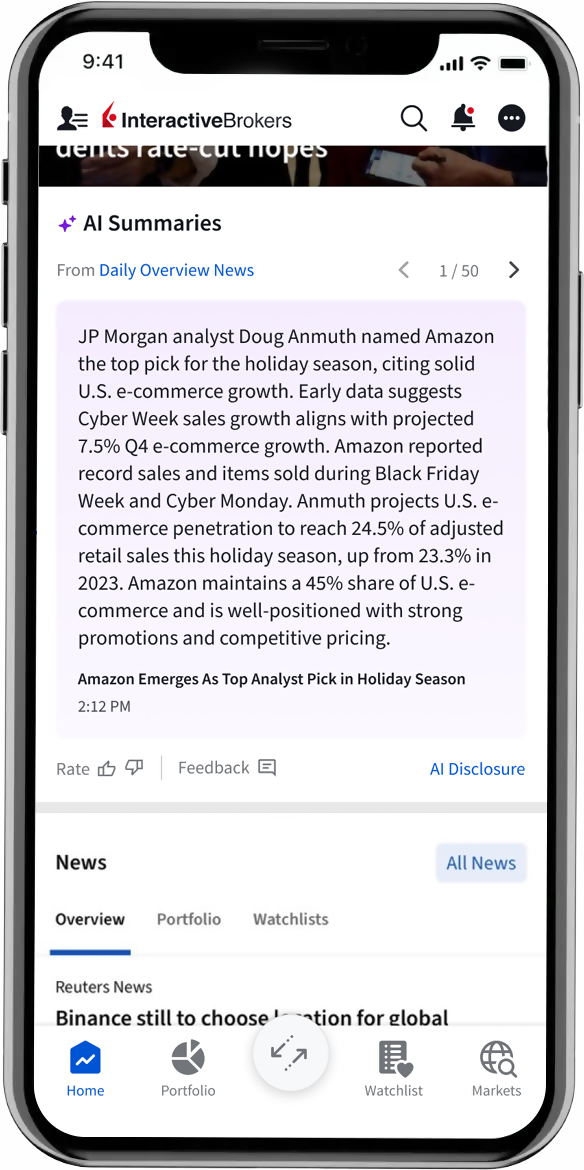
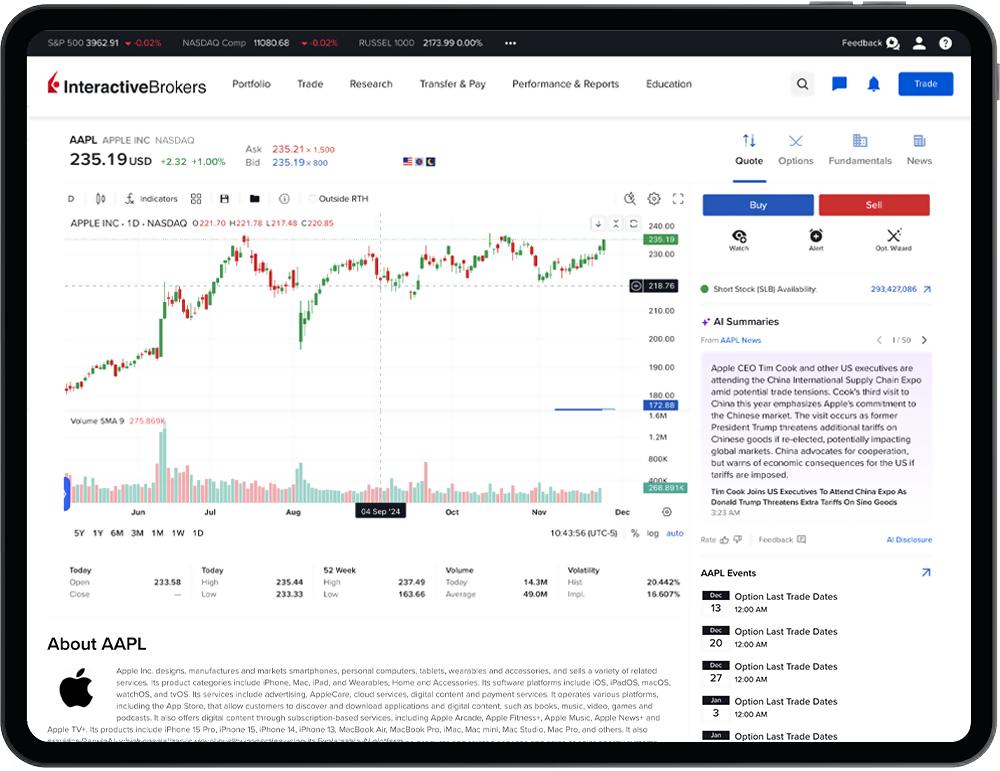
AI News Summaries uses generative AI to quickly summarize the key points of news published by select providers, saving you time and allowing you to react more quickly to changing market conditions
Quickly distill large amounts of information into actionable insight.
Perform faster, near real-time updates as news breaks or additional information is made available.
Easily monitor and receive summaries tailored to the markets, sectors and asset classes most aligned with your interests.
AI News Summaries for your current positions are available via the Summaries widget on the Dashboard home page in Client Portal and IBKR Mobile.
AI News Summaries are available to clients of our IB affiliates in Canada, the UK, Europe, Australia, Hong Kong, Japan and Singapore.
IBKR Advantage
Trade US Stocks and ETFs, Index Futures and Options, and Bonds Around the Clock
With Overnight Trading Hours, clients can react immediately to market-moving news and trade over 10,000 US Stocks and ETFs, US Equity Index futures and options, US Treasuries, global corporate bonds, European government bonds and UK gilts when it is most convenient for you.
Overnight Trading Hours are from 8:00 pm ET to 3:50 am ET, with the first session beginning on Sunday at 8:00 pm ET and the last session ending on Friday at 3:50 am ET. Trades executed between 8:00 pm ET and 12:00 am ET will carry a trade date of the following trade day.
All clients with US Stock trading permission have access to US Overnight Trading, multiple order types and free overnight market data.
For a full listing of the available stocks and ETFs, please refer to the exchange listing page.
Clients can set the destination to Overnight by setting the Time-in-Force to Overnight Trading. The Overnight order destination combines internal and external liquidity providers to display the live NBBO for all available liquidity. In addition, our OVERNIGHT + DAY time in force setting allows you to submit orders in the overnight trading session that will also work through 8:00 pm ET the following day as a SMART-routed order.
If you would like to request US Stock trading permission:
- Log in to Portal
- Click the User (head/shoulders icon in the top right corner) > Settings menu
- Click Settings
- Click Trading Permissions
- Click Stocks – Add/Edit
- Click "United States"
- Click Continue
- Review and Confirm your selection
- Review and/or sign disclosures
- Click Continue
Please note that trading permission requests are subject to Compliance review and are typically approved within 1 – 2 business days.
New Tools
New Features Added
to IBKR Trading Platforms
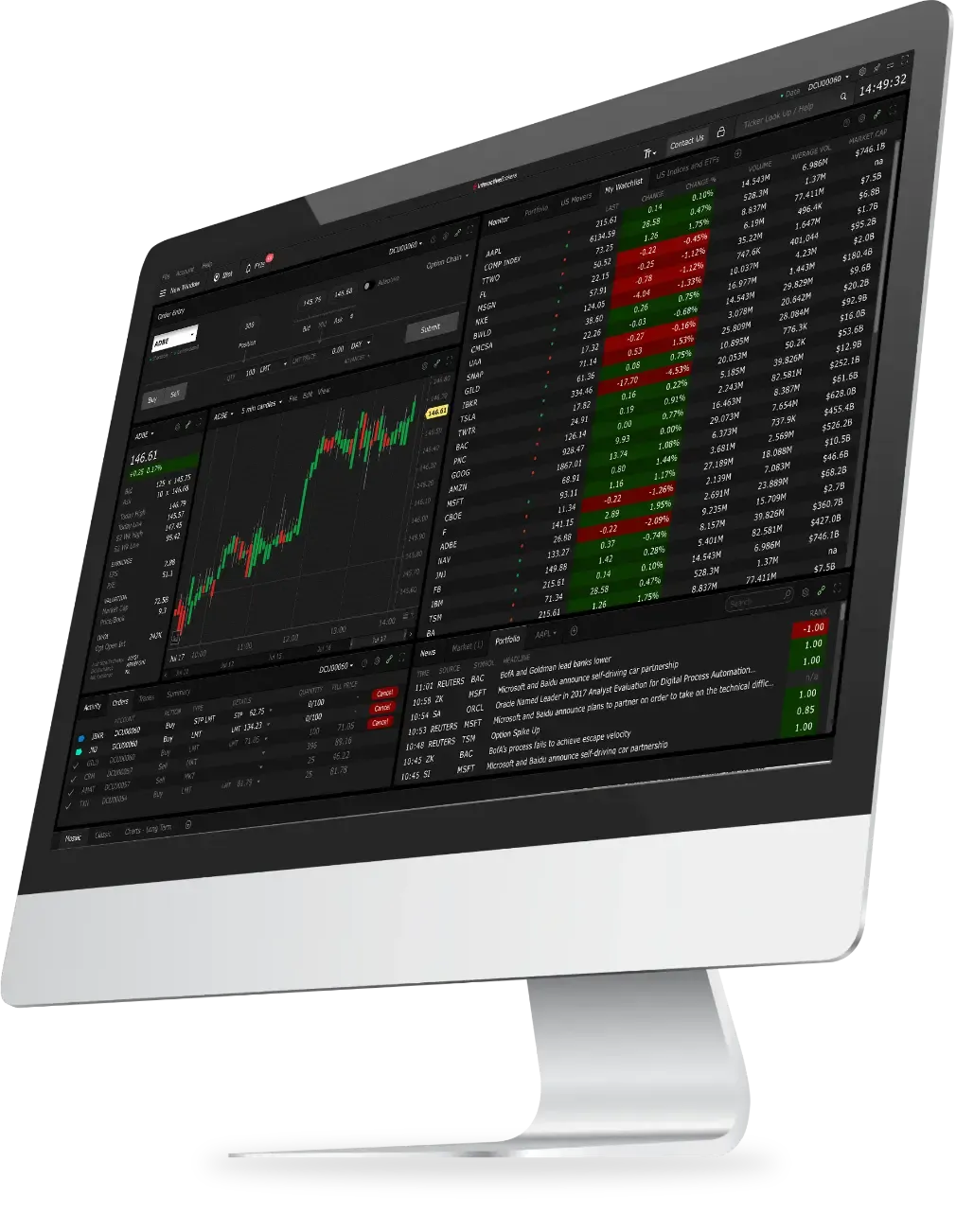
IBKR Trader Workstation (TWS)
Our flagship desktop platform is designed for seasoned, active traders who trade multiple products and require power and flexibility. We recently introduced the following features and/or enhancements to TWS:
- Municipal Disclosures are now available in TWS.
- We added a View Lots feature that allows you to manage your stock, options, bond, warrant and single-stock future gains and losses for tax purposes. The View Lots feature is available by right-clicking on an asset in your Portfolio or Watchlist.
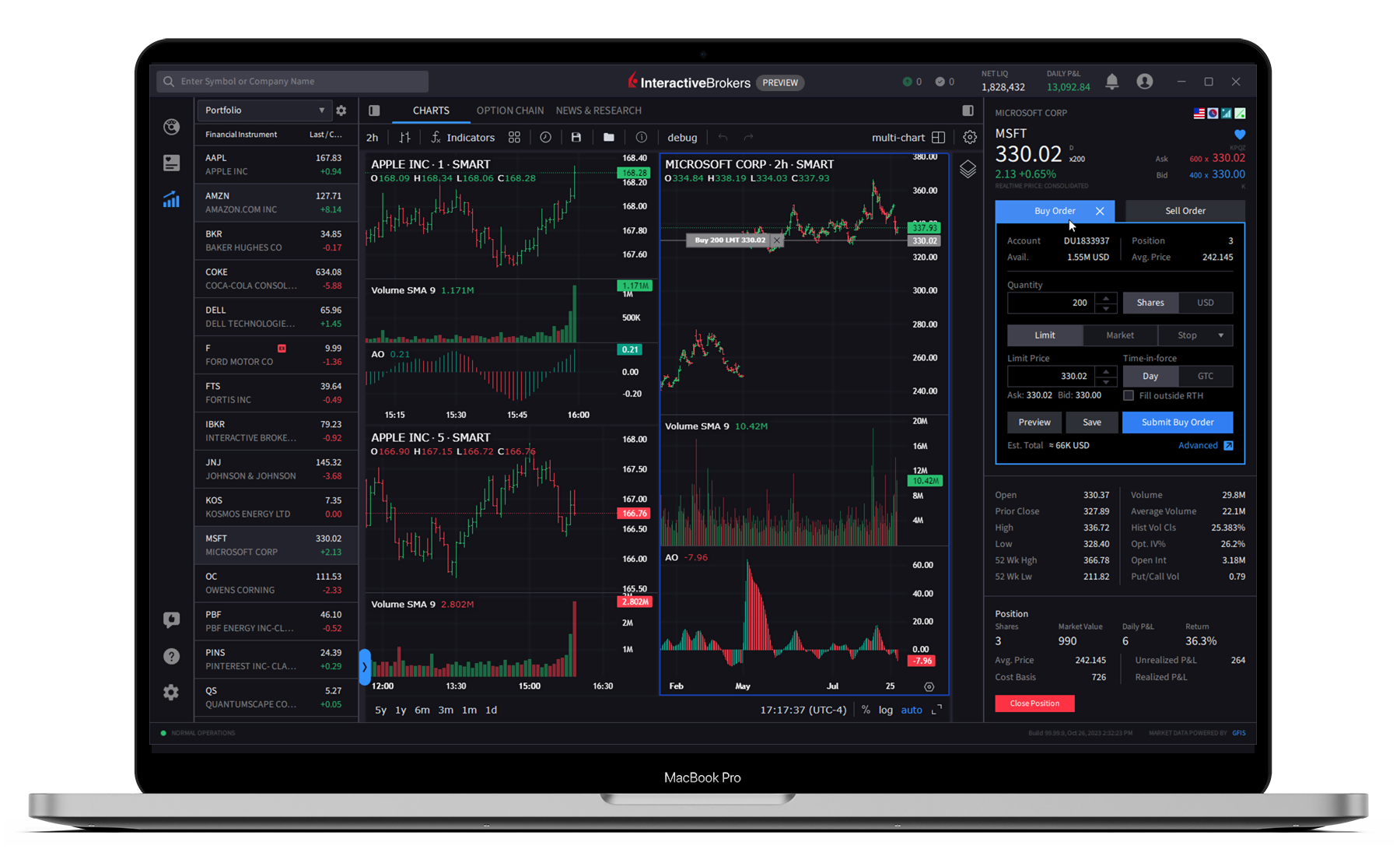
IBKR Desktop
Our newest client-driven desktop trading platform combines the most popular tools from our flagship Trader Workstation (TWS) with a growing suite of original features suggested by our clients. Recent enhancements include:
- AI News Summaries1
Use generative AI to quickly summarize the key points of news published by select providers, saving you time and allowing you to quickly react to changing market conditions. - Option Chains
List all options available for a specific security. Option Chains typically list all put and call option strike prices for a given maturity date, plus additional screeners tailored for options traders. - Option Screeners
We added a new Options tab to IBKR Desktop. This tab provides access to various pre-defined underlying screeners tailored for options traders, including a Complex Orders & Trades screener for reviewing volumes by Option Strategies. - Custom Strikes
You can input a custom strike amount on the Option Chain. - Volume Candles
An innovative way to visualize market activity by displaying price movements relative to traded volume. - Symbol Comparison
Add multiple assets to the same chart to analyze relative performance, correlation and trend patterns.
- Hot News
The Hot News feed now includes articles that AI has tagged as important using categories such as "Management Changes" and "Earnings Report", among others. - Chart Indicators
New indicators include Pivot Points Standard, Volume Profile Fixed Range, Volume Profile Visible Range, 52 Week High/Low, Accelerator Oscillator, Correlation Coefficient, Guppy Multiple Moving Average, Ratio, Spread and True Strength Index. - Create Alerts
The Quote panel now provides access to a Recently Searched Contracts list and a clock icon that can be used to create alerts. - Support for Overnight Trading for US Equities (Stocks & ETFs).
- Skip order confirmation pop-ups when submitting a trade.
- Customizable date ranges on the Chart panel.
- Navigation improvements.
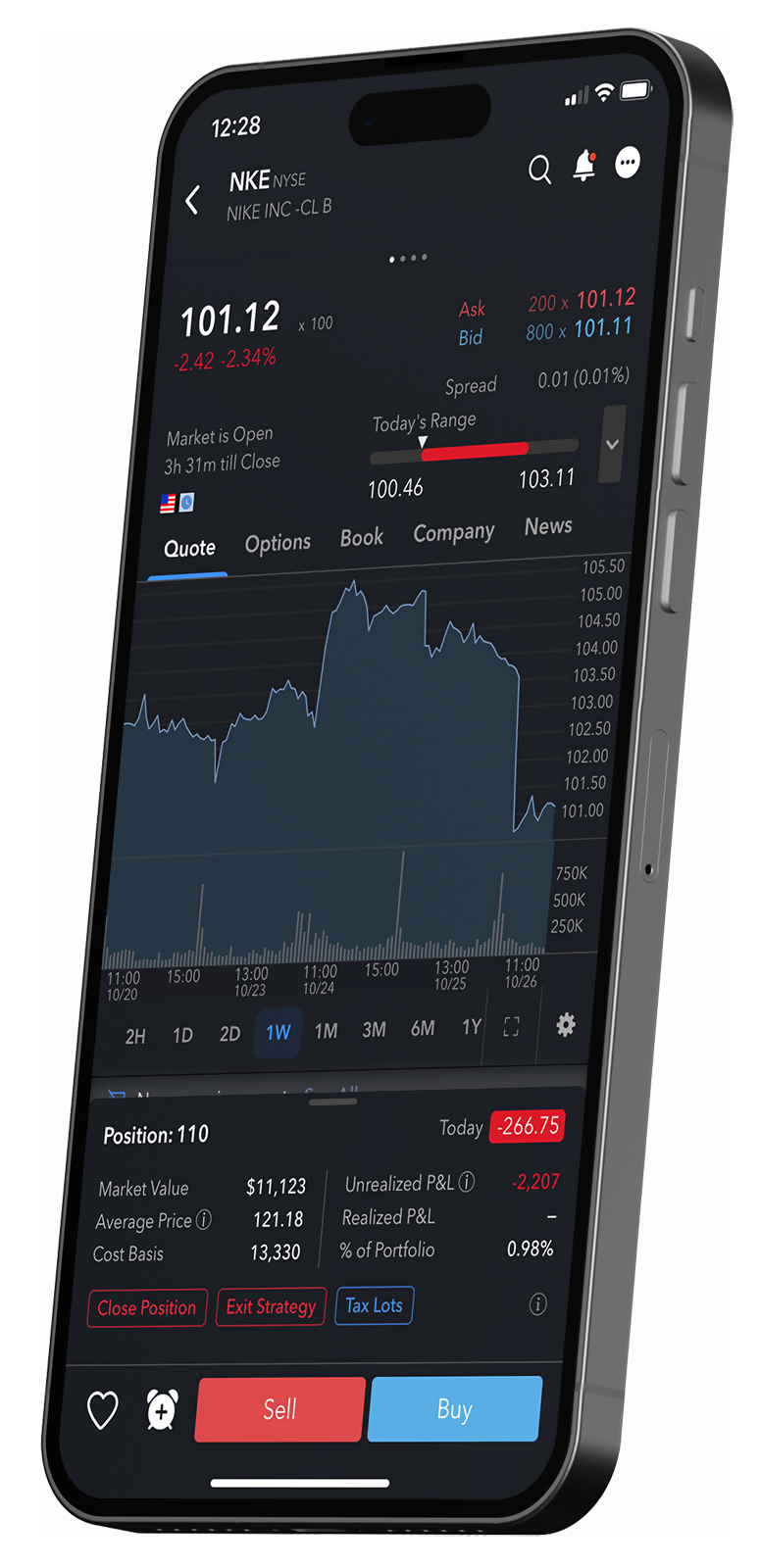
IBKR Mobile
Used by experienced traders who need the power to trade stocks, options, futures, currencies, bonds, and more across more than 150 markets worldwide on the go. No matter where you are, you can access it all with advanced order types and trading tools. The following features were recently added to IBKR Mobile:
- AI News Summaries1
Use generative AI to quickly summarize the key points of news published by select providers, saving you time and allowing you to quickly react to changing market conditions.
Hot News
The Hot News feed now includes articles that AI has tagged as important using categories such as "Management Changes" and "Earnings Report", among others.
Trades v2
- Trade history was extended from 7 days to 30 days
- New sorting and filtering options
- Trades are now grouped by originating order
- Aggregate Realized P&L is displayed for trades on a daily basis and for a user’s entire selected time period.
- View chart time period by exchange time zone.
- Users can configure push notifications for when an order fills and the app is closed or running in the background.
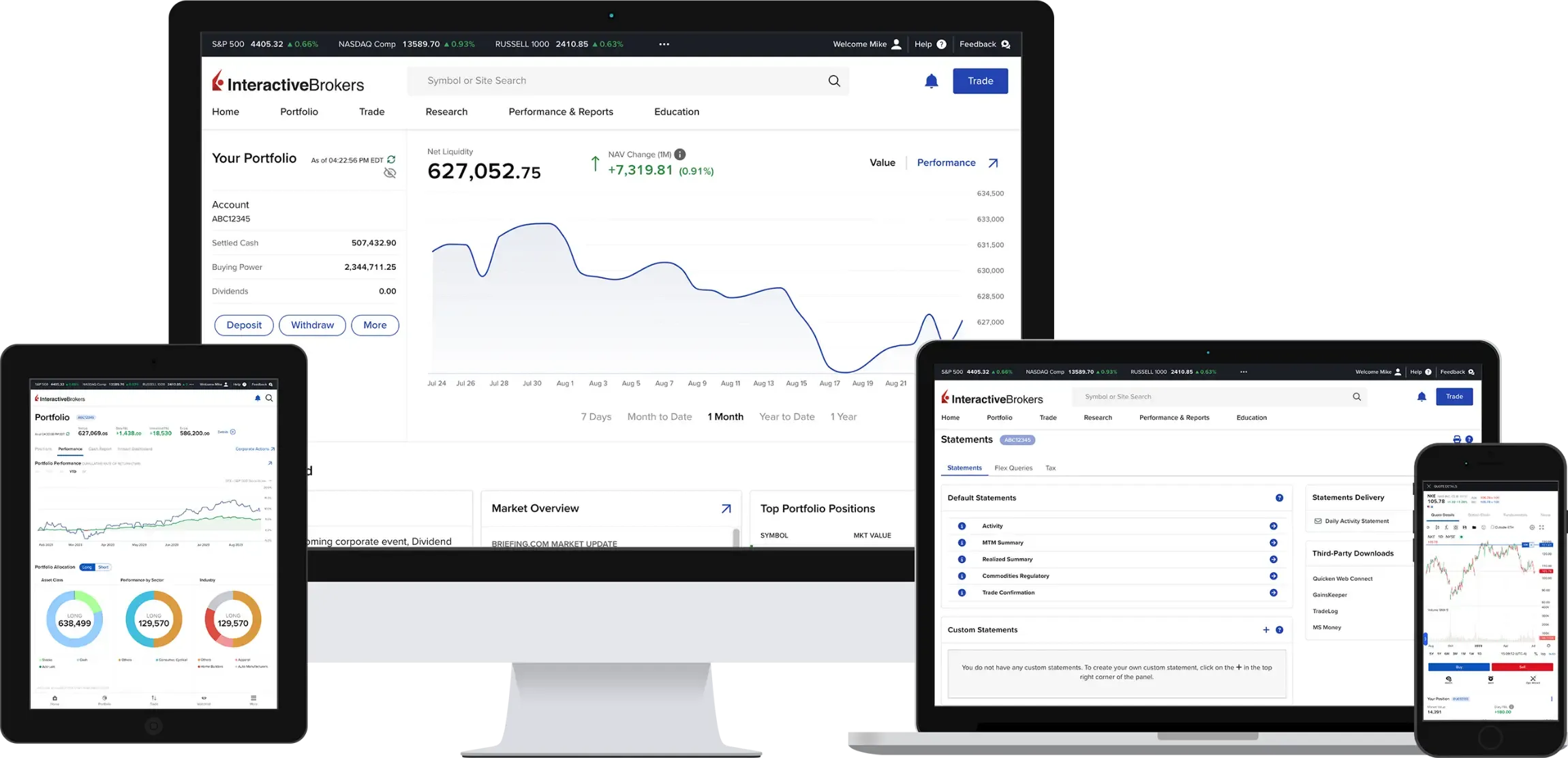
Client Portal
Access all the features that you need with our easy-to-use web platform. View, trade, and manage your account all with a single login. No downloads required. Client Portal now includes the following features:
- AI News Summaries1
Use generative AI to quickly summarize the key points of news published by select providers, saving you time and allowing you to quickly react to changing market conditions. - Hot News
The Hot News feed now includes articles that AI has tagged as important using categories such as "Management Changes" and "Earnings Report", among others.
IBKR GlobalTrader and IMPACT by Interactive Brokers
IBKR GlobalTrader and IMPACT provide a streamlined experience for trading stocks, ETFs and options worldwide. Invest with as little as $1 and trade in fractions. Visit our website to learn more.
[1] AI News Summaries are available to clients of our IB affiliates in Canada, the UK, Europe, Australia, Hong Kong, Japan and Singapore.
Options involve risk and are not suitable for all investors. For information on the uses and risks of options, you can obtain a copy of the Options Clearing Corporation risk disclosure document titled "Characteristics and Risks of Standardized Options" by visiting ibkr.com/occ.
Multiple leg strategies, including spreads, will incur multiple commission charges.
Scan to download the
IBKR GlobalTrader app.

Scan to download the
IBKR Mobile app.
Scan to download the
IMPACT app.
Download
IBKR GlobalTrader


Download
IBKR Mobile
Download
IMPACT
NEW TOOL
New Services for
Advisors of Any Size
Interactive Brokers offers turnkey solutions that help advisors of any size build competitive advantage, efficiently manage their business and serve clients at lower cost.

NEW TOOL
New Services for
Advisors of Any Size
Interactive Brokers offers turnkey solutions that help advisors of any size build competitive advantage, efficiently manage their business and serve clients at lower cost.
We recently introduced new features and services to help advisors on our platform.
Stay On Track with Advisor Portal Trading Tools

Advisor Portal now includes an Allocation Order Tool that helps you quickly deploy assets, keep your investment strategies aligned, diversify your client portfolios and efficiently trade directly in Advisor Portal. The Allocation Order Tool supports account-by-account allocations or use of allocation algorithms.
The Rebalance tool lets you adjust multiple positions across multiple accounts using target allocation percentages, helping you redistribute the current position weighting in your portfolio. Specify a new "Target Percentage" for your positions and Advisor Portal automatically creates orders that, when submitted, will attempt to execute trades to keep your portfolio in line with your investment strategy.
Our Multi-stock Tax Loss Harvesting tool lets advisors scan client accounts for losses that can be harvested for tax purposes by selling the loss-making position or swapping it with another security.
Model Portfolios lets you manage a group of positions as a single unit by defining the target allocation percentages for each position. Clients will be invested in / divested from a model and each client’s investments will track the model target allocations.
Portfolio View provides an overview of client account performance, giving advisors the ability to drill down by individual positions or accounts. Advisors can choose to view values in the native currency of the security or account, or in their own master base currency.
Advisor Fees: Period-End Invoice Options
We introduced Month End Balance and Quarter End Balance invoicing options to our Electronic Invoice system. These invoicing options allow advisors to invoice clients with limits calculated based on the ending value of the previous period. These options are being introduced to address two main billing needs:
- Billing in advance: The new methods are based on the ending value of the previous period, which many advisors use as the basis for billing in advance.
- Ending value arrears calculation: Many advisors bill in arrears, but based on the ending values of a portfolio, not the daily calculation which is our standard method.
The following formula is used to determine the invoicing limit amount using the new Period End Invoicing method:
- Use the ending equity from the last day from the previous period (month/quarter).
- Multiply that ending equity by the configured percentage rate.
- Divide that by the number of periods (months/quarters) in the year.
This is in addition to the current percentage invoice calculation method, which remains available and is based on a daily calculation from the previous period and sums the results. At the end of the period, the amount summed is what your limit will be.
To configure this new method, select the "Monthly (on month end balance)" or “Quarterly (on quarter end balance)” in the Applied field on the fee configuration screen.
EXPANDED OFFERING
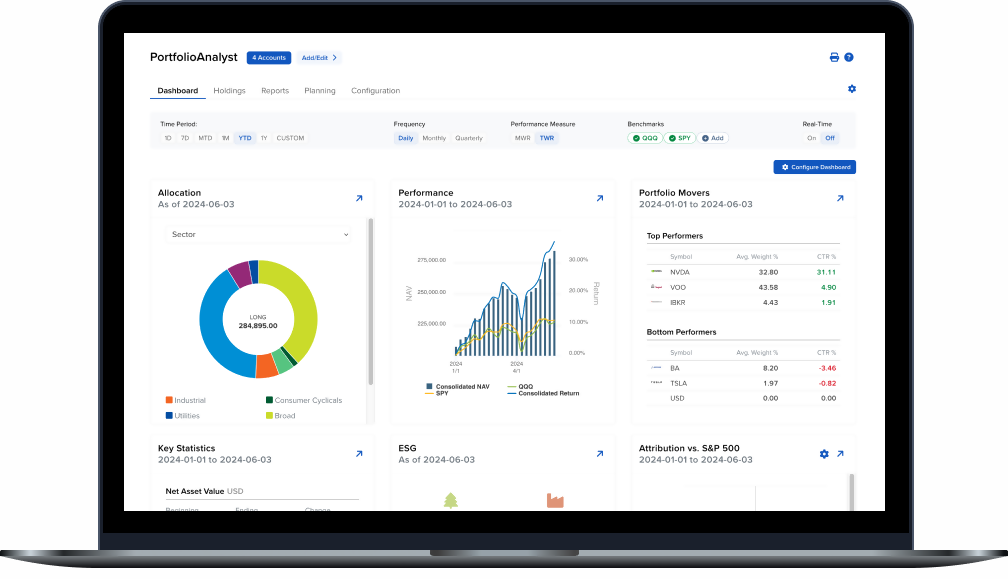
PortfolioAnalyst
Brokerage Accounts
Bank Accounts
Annuities
Student Loans
Mortgages
Credit Cards
Auto Loans
Other Assets or Liabilities
- Budget Overview, which shows your budget in both a table and chart format.
- Spending Insight, which shows your current spending by category and sub-category, as well as upcoming transactions.
- Life Events, which shows your progress towards any Life Events you have added to the budgeting table.
- Net Worth, which shows a historical view of your net worth and the account types, with net asset value (NAV), that make up your net worth.
- Transaction Monitor, which allows you to monitor, add, edit, mark as recurring and exclude transactions.
Join our upcoming PortfolioAnalyst Webinar
Retire Confidently Using Financial Planning Tools
Join us for an engaging webinar that will transform how you manage your finances and plan for the future. In this comprehensive session, we'll showcase our powerful trio of planning tools designed to give you complete control over your financial journey.
Discover how to:
- Fine-tune your investment strategy with Allocation Goals - Set and monitor your portfolio's asset allocation targets with precision, ensuring your investments align with your financial objectives
- Navigate your path to retirement confidently using our Retirement Planner - Get personalized insights based on your unique circumstances and preferences
- Take control of your spending with our intuitive Budgeting tool - Track expenses, create custom budgets, and gain valuable insights into your spending patterns
Whether you're an experienced investor or just starting your financial planning journey, this webinar will equip you with the knowledge and tools needed to make informed decisions about your financial future. Our interactive session will include live demonstrations and practical examples to help you maximize the potential of these powerful planning tools.
Date: January 14, 2025 | Time: 4:30 PM ET | Duration: 45 Minutes

NEW PRODUCTS
It's Easier than Ever to Find
Your Next Investment Opportunity
- Henry Hub Natural Gas Weekly Futures (HHW)
- Bloomberg Credit Index Futures (DHB/HYB/IQB)
- E-Mini Communication Services Select Sector Futures (XAZ)
- Micro Nikkei Futures (MNK: USD, MNI: JPY)
- Options on iShares Bitcoin Trust ETF
- Weekly stock options on the following 10 selected single stock option classes:
- HSBC Holdings Plc.
- Hong Kong Exchanges and Clearing Limited
- Tencent Holdings Limited
- Kuaishou Technology
- BYD Company Limited
- Ping An Insurance (Group) Company of China, Ltd.
- Meituan
- JD.com, Inc.
- Baidu, Inc.
- Alibaba Group Holdings Ltd.
EXPANDED OFFERING
New Funds and Fund Families
Available at the Mutual Fund Marketplace
The Interactive Brokers Mutual Fund Marketplace provides clients from over 200 countries and territories with access to more than 43,000 funds from over 600 fund families, including Allianz, American Funds, BlackRock, Fidelity, Franklin Templeton, Invesco, MFS and PIMCO.
Unlike most firms, IBKR never charges a custody fee. In addition, we offer over 18,000 funds with no transaction fees and low, transparent commissions. Inside the US, commissions are the lesser of USD 14.95 or 3% of trade value, while fee funds outside the US are EUR 4.95 (or equivalent).
To help provide you with a broad selection of funds, we recently added the following fund families to the Marketplace:
Global Fund Families
- Allianz Global Inv (AE)
- ANDBANK SGIIC (ES)
- Artemis Fund Managers Limited (GB)
- AXA Investment Managers UK LTD (GB)
- Cape Wrath Capital Ltd. (GB)
- JP Morgan Funds Ltd. (GB)
- SURA AM (GB)
- Waystone Management Company Ltd. (IE)
US Fund Families
- New Age Alpha Trust

Smart Investors Never Stop Learning


NEW PRODUCTS
2024 Tax Planning and Tax Form Availability
Please visit our website for information on tax form availability for tax year 2024.1 Once available (early 2025), you can download important documents by logging in to Portal and visiting the Performance & Reports > Tax Documents menu for copies of your tax forms, donation receipts and dividend tax vouchers.
[1] Information is offered as a courtesy; clients are advised to seek professional guidance.
2024
An Award-Winning Year!
During 2024, Interactive Brokers was recognized around the world for low costs, breadth of product and advanced trading technology.
2024 Preqin Awards
- Featured as a Top Prime Broker

2024 BrokerChooser Best Online Brokers
- Best Stock Broker - 2024
- Best Broker for Day Trading - 2024
- Best Broker for Investing - 2024
- Best Broker for Margin Trading
- #1 - Best Online Broker and Trading Platform in Singapore: Read More
- #1 - Best Online Broker and Trading Platform in Germany: Read More
- #1 - Best Online Broker and Trading Platform in the United Kingdom: Read More
- #1 - Best Online Broker and Trading Platform in Canada: Read More
- #1 - Best Online Broker and Trading Platform in Australia: Read More
- #1 - Best Online Broker and Trading Platform in India: Read More
- #1 for Best Broker for ESG Investing: Read More
2024 Investing in the Web Global Broker Awards
- Best Broker Overall
- Best Broker for Options: Read More
- Best Broker for Bonds: Read More
- Best Broker for Corporate Accounts: Read More
- Best ESG and Impact Investing App (for IMPACT, by IBKR): Read More
- Best Broker for LLCs: Read More
- Best European Trading App: Read More
- Best European Trading Platform: Read More
- Best Trading Platform in the UAE: Read More
2024 StockBrokers.com Review
- #1 Bond Trading
- #1 Day Trading
- #1 ESG Investing
- #1 Fractional Shares
- #1 International Trading
- #1 Investment Options
- #1 Mobile Trading Apps
- #1 Order Execution
- #1 Platforms and Tools
- #1 Platform Technology
- #1 Professional Trading
- #1 Sentiment Investing
- Best in class: Beginners
- Best in class: Commissions and Fees
- Best in class: Education
- Best in class: Futures Trading
- Best in class: High Net Worth Investors
- Best in class: IRA Accounts
- Best in class: Options Trading
- Best in class: Research
- Best in class: Overall

2024 Investopedia Awards
- Best for Advanced Traders
- Best for International Trading
- Best for Risk Management
- Best for Generating Stock Trading Ideas
- Best for Algorithmic Trading
2024 ForexBrokers.com Online Broker Review
- 5 out of 5 stars Overall
- #1 Professional Trading
- #1 ESG Offering
- #1 Institutional Clients
- #1 Offering Investments
- #1 Platform Technology
- Best in class: Overall
- Best in class: Algo Trading
- Best in class: Commissions and Fees
- Best in class: Crypto Trading
- Best in class: Education
- Best in class: Mobile Trading Apps
- Best in class: Platforms and Tools
- Best in class: Trust Score
- Best in class: Research


2024 The Ascent - A Motley Fool Service Review
- Best Stock Broker for International Trading