Open topic with navigation
Models and Positions
You can view models, accounts and positions sliced in many different ways.
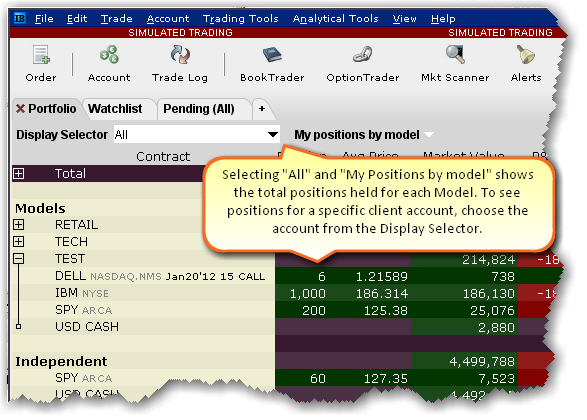
To see the total positions per Model
- Open the Portfolio tab.
- From the Display
Selector, choose All.
- Select My positions
by model.
- Click the "+" sign in the Models list
to display the drill-down list of all investments per model.
To see model positions per account
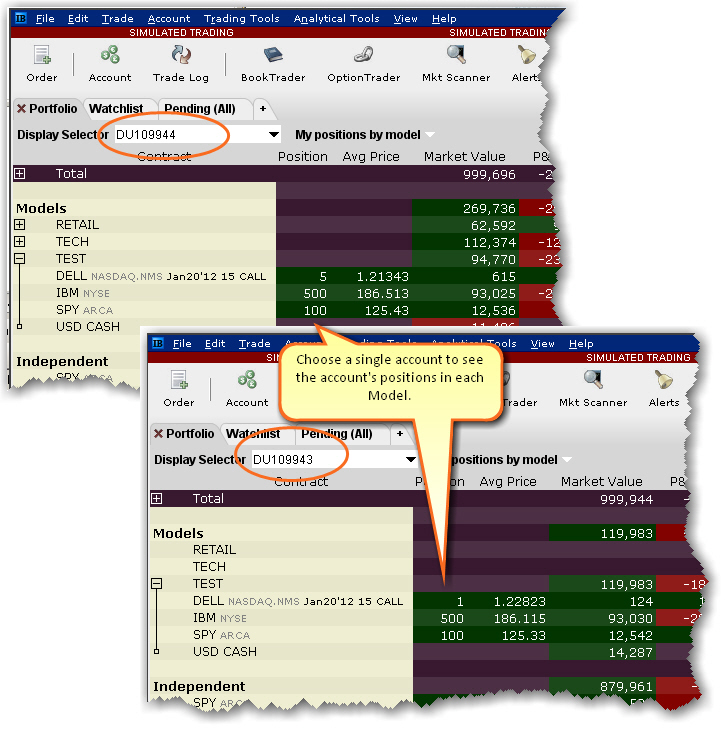
- Open the Portfolio tab.
- From the Display
Selector, choose an account.
- Click the "+" sign in the Models
list to display the drill-down list of all investments per model.