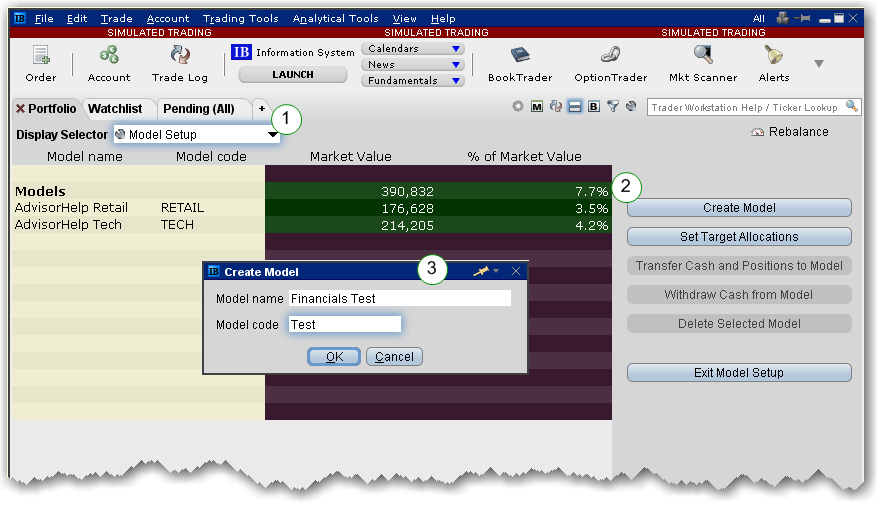
Create and manage Models from the Portfolio tab. To get started, first create the structure for the Model by providing a name and code.
To set up a Model
Note: The code cannot be changed once it has been created.
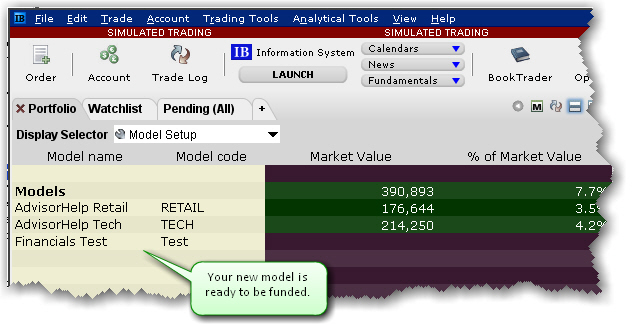
The structure for the new Model displays in the Models section of the Portfolio page. At this point the Model has no funds, no assets and no investors.
Next step: Fund and Populate the Model